
Skip to content

Care and recovery support

Your care journey, with support along the way.

Journeys helps you stay connected to your recovery through helpful guidance, simple check-ins and care reminders, so you can feel more confident at home.

  • On WhatsApp, no new app
  • In the language you choose
  • Support from your care team

The challenge

Recovery doesn’t stop at discharge.

The days and weeks after leaving hospital can bring new questions. Journeys keeps you connected to your care programme during that time.

  • At home

    Much of your recovery happens at home, after you leave the hospital.

  • Questions arise

    You may wonder whether what you feel is expected, or want a simple way to say how you are.

  • Stay connected

    Check-ins give you an easy way to share how you are doing with your care team.

How Journeys works

A clearer path through recovery.

Join online in a few minutes, or ask your hospital to add you. Either way, your first message arrives on WhatsApp.

What you receive depends on your programme and how your care team has set it up.

  1. 01

    Start your journey

    Your hospital adds you. You confirm and agree on WhatsApp before anything starts.

  2. 02

    Receive guidance

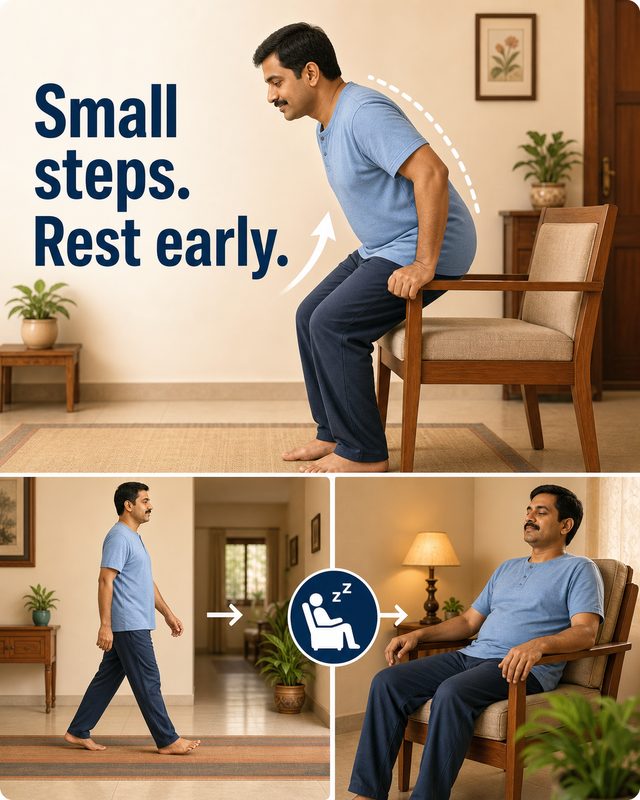
    Short messages, some with pictures, for each stage of recovery.

  3. 03

    Check in

    Answer simple questions with one tap.

  4. 04

    Stay connected

    What you share reaches your care team.

  5. 05

    Get appropriate follow‑up

    If a reply needs a closer look, your care team reviews it.

For patients

Simple to use. Reassuring support.

You receive short, easy-to-understand messages on WhatsApp, in the language you choose, with simple check-in questions that fit into your day.

  • Messages on WhatsApp, with no new app to install
  • Simple questions you answer with one tap
  • Guidance for each stage of your recovery
  • Medicine reminders, if your programme includes them
  • Messages can be written for a family member who helps you

Type HELP in WhatsApp to pause, stop or add medicine reminders. A “Did you take it?” check after a reminder is your choice, and you can turn it off.

For care teams

Better visibility for the people supporting your care.

Hospitals and care teams use Journeys to run recovery programmes, see how each patient is doing, and follow up when a reply needs attention.

  • Patient journeys and check-ins
  • Replies organised on each patient’s journey
  • One review queue for replies that need attention
  • Programme reporting, in totals only
Sign in to your workbenches

Safety

When something needs attention, your care team can see it.

Each programme decides which replies need a closer look. When you send one, it goes to your care team to review and follow up.

  1. You reply

    by tapping a button

  2. It’s flagged

    and routine check-ins pause

  3. Your care team

    reviews it

  4. They decide

    what follow-up you need

Journeys is not an emergency service. It does not diagnose, and it does not replace your doctor or hospital team. How your information is used is explained in the privacy policy.

Contact

Who to contact

  • About your care

    Contact your hospital or care team, using the details they gave you.

  • Your medicine reminders

    Type HELP in WhatsApp to see, change, pause or stop your reminders.

  • If it feels urgent

    Contact your doctor or hospital straight away, or call 108 or 112.

Your care journey deserves support along the way.

Join online in a few minutes. Your first message arrives on WhatsApp.